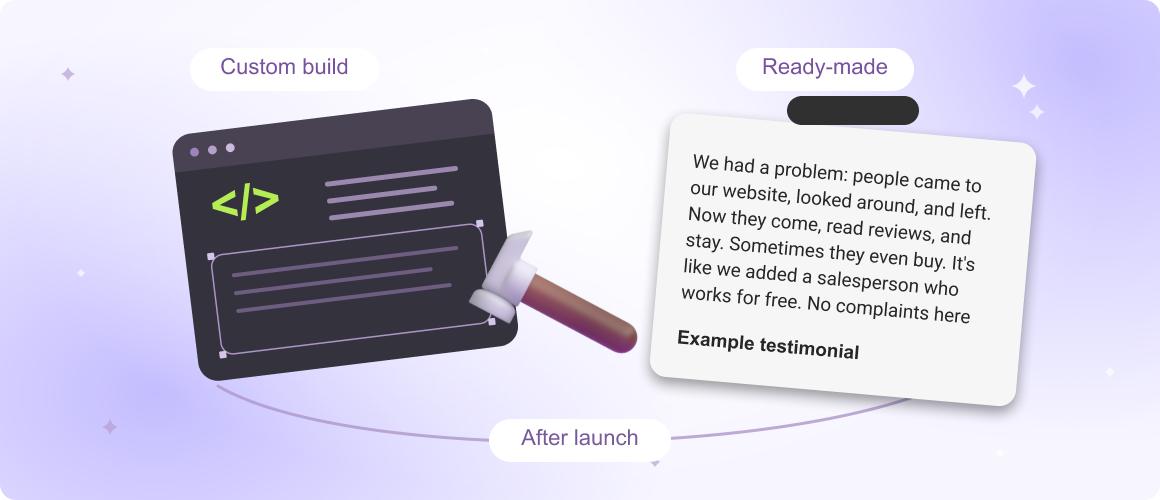
A reviews widget can be surprisingly easy to build. A few cards, star ratings, customer names, and some CSS. If the reviews are entered manually, you might not even need an API.
The interesting part begins when those reviews need to update automatically.
Now your small website component depends on someone else's infrastructure. You need a reliable source of review data, a way to access it, and a plan for what happens when that access stops working.
So, should you build your own reviews widget or use a service like Mirror App?
The answer depends less on your coding skills than on what you expect the widget to do six months after launch.
First, what kind of reviews widget are you building?
Not every reviews widget needs the same technology.
There are three common approaches.
1. A manually maintained reviews section
You collect customer feedback, add it to your website, and update it when necessary.
This is often the simplest option. There's no external API to maintain, no access token to refresh, and no risk of exceeding an API request quota.
The limitations are mostly operational. Someone must collect, verify, format, and publish the reviews. You also need permission to use customer testimonials and should make their origin clear.
For a small website displaying a handful of selected testimonials, this approach may be entirely sufficient.
2. A custom widget connected to a review platform
You develop an interface that retrieves reviews from Google or another supported source.
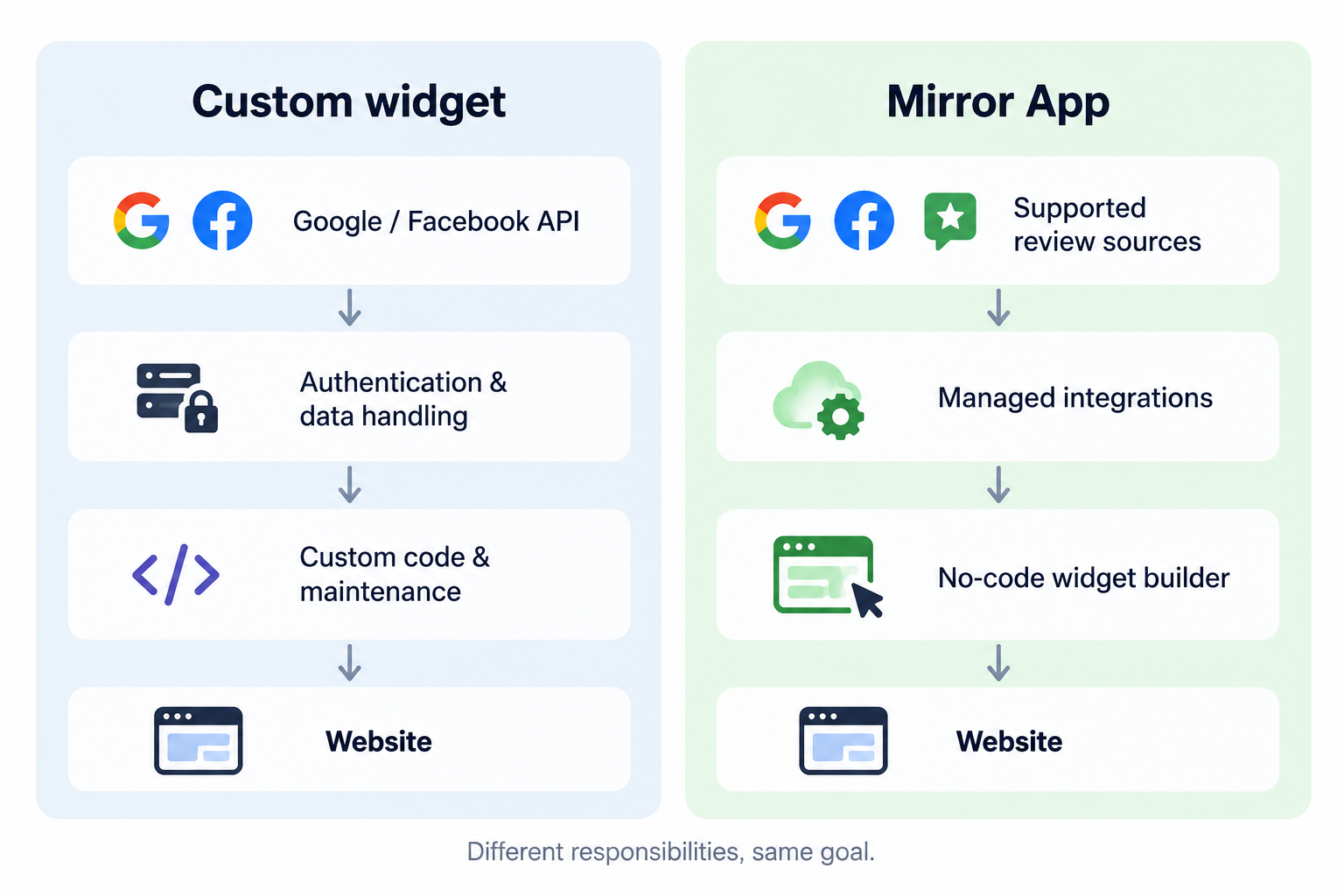
It can offer more automated content updates and greater design flexibility, but the project now includes authentication, data retrieval, error handling, and compliance with the source platform's policies.
3. A managed reviews widget
A service such as Mirror App provides the connection workflow, display templates, and publishing tools.
You configure the widget rather than developing its underlying integration. The service maintains the integration infrastructure, while you remain responsible for managing your review sources and choosing what appears on your website.
Each approach solves a slightly different problem. Comparing them only by their initial setup time misses much of the picture.
The Google Reviews five-review limit, explained
Suppose a local business has 250 Google reviews and wants to display the latest 20 on its website.
A developer might reasonably turn to Google Places API, only to discover that the response includes a maximum of five reviews.
This is a documented restriction of Places API (New). The returned reviews are selected by Google's relevance criteria, and the API does not provide general pagination through the business's complete review history.
It's an important limitation, but not a universal Google Reviews limit.
Google provides another API for a different use case.
Google Business Profile API can retrieve reviews for eligible business locations that the authenticated account is authorised to manage. Its reviews endpoint supports pagination, with up to 50 reviews per request.
The important distinction is access.
Places API can be used to obtain information about places, subject to its policies and product restrictions. Business Profile API requires an authorised relationship with the business and access to the relevant API functionality.
So the decision isn't simply whether you know how to write the request.
It's whether the data you need is available through an API you're eligible to use.
If your business needs more than five reviews, investigate the authorised options before choosing an architecture. Don't assume that every Google Reviews integration has the same capabilities.
Official documentation:
API keys, access tokens, and the part visitors never see
An API key and an OAuth access token aren't interchangeable.
An API key generally identifies the calling project for supported API requests. OAuth tokens represent authorised access and may involve specific permissions, expiry, and revocation.
Google Places API and Google Business Profile API have different authentication requirements, so the implementation depends on which service you use.
For integrations requiring OAuth, your application may need to manage token expiry, reconnection, and changes in permissions.
There are several practical questions worth answering before development:
- Can the website owner reconnect the source without contacting a developer?
- Where are credentials stored, and can they be exposed through browser code?
- What happens if authorisation is revoked?
- Will the website continue to show a useful fallback if the API becomes unavailable?
- Who receives an alert when reviews stop updating?
A typical implementation may also need server-side requests, controlled API credentials, request scheduling, and error monitoring.
None of this is particularly exotic for an experienced developer. But it's more engineering than creating a row of testimonial cards.
A widget that works in a demo and one that can run unattended are two different deliverables.
Can you simply store the reviews in your own database?
This is where the technical design intersects with platform policy.
Saving retrieved reviews locally might sound like an obvious way to improve loading speed and reduce API calls.
But Google Maps Platform places restrictions on storing, caching, and reusing Places API content. It also requires appropriate attribution for Google content and review authors.
The applicable rules depend on the API and how its data is used. A general-purpose database of copied Google reviews is not something you should assume is permitted.
For Places API (New), Google also has requirements for review attribution, source links, and communicating how reviews are ordered or filtered.
These are not merely visual details. They can influence how the widget is built.
Before implementing a caching strategy, check the current policies for the specific API.
Google Places API policies and attribution requirements
What does a ready-made widget actually save you?
The obvious benefit is avoiding initial development. But for many businesses, the more useful advantage is being able to manage the reviews section without going back to a developer.
Imagine a restaurant that collects Google reviews and Facebook recommendations, but also receives detailed customer feedback through its own website.
The team wants to feature several recent reviews on the homepage, highlight a particularly useful customer story, and occasionally change the layout.
With a custom solution, these features depend on what the developer built.
With Mirror App Reviews Widget, the team can work with supported sources including Google Reviews, Facebook Reviews, and manually added reviews.
Manual reviews can be created individually or imported from CSV and Excel files. The interface also provides options for selecting, hiding, and pinning reviews.
For marketers and website managers, that changes the day-to-day workflow. Updating the presentation doesn't necessarily require editing website code.
There's still a trade-off.
A managed widget works within the layouts, settings, source connections, and subscription limits offered by the service. A bespoke implementation can give you finer control over unusual requirements.
Neither model is automatically better.
The cost question nobody can answer with one number
A common comparison puts the price of a subscription against the cost of writing the initial widget code.
That's incomplete.
For a custom integration, the total cost may include:
- Initial development and testing.
- Hosting or server infrastructure where required.
- API usage charges, depending on the service and request volume.
- Authentication and credential management.
- Changes after API updates.
- Monitoring and troubleshooting.
- Improvements to design, accessibility, and mobile behaviour.
A managed service replaces many of these individual tasks with a subscription and a defined product feature set.
But subscriptions have costs too. You may face limits on usage, available features, or the number of widgets. You also depend on the provider continuing to support the integrations you need.
Here's a more useful comparison:
- Simple manual testimonials: Custom widget: Often easy to implement; Managed widget: May be unnecessary
- Exact visual control: Custom widget: High; Managed widget: Depends on available settings
- Third-party integrations: Custom widget: Must be developed; Managed widget: Supported sources are provided
- Authentication maintenance: Custom widget: Your responsibility; Managed widget: Primarily handled by provider
- New features: Custom widget: Require development; Managed widget: Depend on product roadmap
- Technical support: Custom widget: Your team or contractor; Managed widget: Provider's support team
- Recurring costs: Custom widget: Infrastructure, API usage, maintenance; Managed widget: Subscription, subject to plan limits
- Long-term dependence: Custom widget: On APIs and your implementation; Managed widget: On APIs and the widget provider
A custom widget might be the cheaper choice for a company with an existing engineering team and straightforward requirements.
For a small business without dedicated developers, even occasional maintenance can make a ready-made solution more economical.
The only meaningful comparison is based on your own requirements and available resources.
Support matters most when the widget stops working
Imagine your reviews haven't updated for two weeks.
Visitors may still see the old content. Unless someone checks the timestamps or monitors the integration, the problem could go unnoticed.
With a custom widget, the next step is usually to contact whoever developed it.
They'll need to determine whether the problem comes from an expired token, an API error, changed permissions, or the website itself.
With a managed product, you can contact the provider's support team about the widget.
That's useful, although it doesn't remove every dependency. If a third-party platform restricts access or experiences an outage, a widget provider cannot simply override its rules.
There's another distinction worth considering: support availability is not the same as a guaranteed resolution time.
Before selecting any service, check its documentation, support channels, plan restrictions, and whether it makes specific service commitments.
For a business-critical integration, those details may matter more than the number of available layouts.
A practical way to decide
Start with the content you actually need to display.
If you have six carefully selected customer testimonials that change twice a year, a custom HTML section may be the simplest solution.
If you want live Google Reviews with authorised access, automatic updates, and a bespoke interface, a custom integration can make sense when you have the resources to maintain it.
If you're managing reviews from multiple supported sources and want your marketing team to control the display without writing code, a managed service is a strong candidate.
And if you're running an agency, consider how often you'll repeat the work.
Building and maintaining one integration for one client is different from managing review integrations across 30 websites, each with its own permissions, account owners, and content requirements.
The maintenance model often becomes more important as the number of websites grows.
Before you choose, answer these five questions
- Where will the reviews come from? A manual collection, Google, Facebook, or several sources?
- How frequently must they update? Immediately, every few hours, or only when someone publishes changes?
- Who will maintain the integration? Is there a developer available when the API or account permissions change?
- How much design control do you need? Are configurable templates enough, or is the component part of a custom application?
- Who needs to manage the content? A developer, a marketing specialist, a store manager, or an agency working with multiple clients?
Your answers will usually make the decision clearer than a generic list of advantages and disadvantages.
The right widget is the one you can maintain
Building a reviews widget is a reasonable project. For some websites, it's also the most efficient option.
The part worth evaluating carefully is everything that happens after launch.
Reviews change. Accounts lose permissions. APIs evolve. Design requirements shift. Someone has to maintain the connection between the source and the website.
For businesses that want to manage customer feedback without maintaining that infrastructure themselves, Mirror App offers a no-code way to create and publish a reviews widget with supported sources and configurable layouts.
If you'd rather build the integration yourself, use the same criteria: reliable data access, compliant display, manageable maintenance, and a clear owner for technical support.
A good reviews widget should make customer feedback easier to discover. Keeping it working shouldn't become an unexpected project of its own.