But almost everyone subconsciously reads visual signals: is this brand alive, is the content up to date, can it be trusted? This is where an Instagram feed stops being decoration and starts working as an interface for trust and engagement.
That’s why it can no longer be treated as a secondary element.
An unconfigured feed looks foreign — like an external block that lives its own life and clashes with the website’s design.
A truly effective Instagram feed:
- Visually continues the website instead of competing with it;
- Adapts to screen size and user behavior;
- Loads fast and doesn’t break the layout;
- Is easy to manage without code;
- Solves business goals instead of simply “showing posts.”
Below is a structured, professional breakdown of how to customize an Instagram feed properly — from layout selection to interactivity and conversion-driven elements.
💡 Feed Format Is the Foundation of Perception and User Behavior
One of the most common mistakes websites make is embedding an Instagram feed “as is,” without considering the context of the page or the user’s intent.
In practice, the format directly affects how long users stay on the page and how they interact with content.
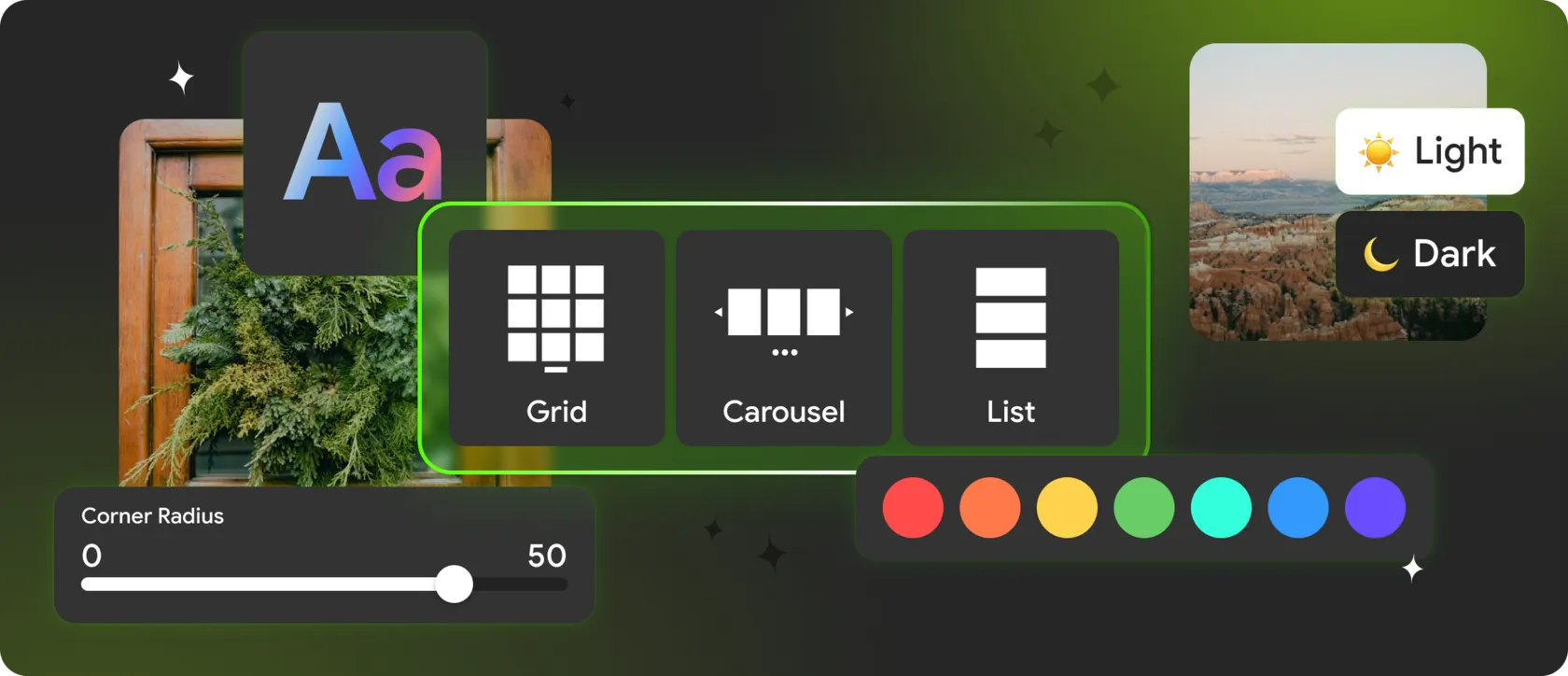
Common Instagram feed formats:
► Grid layout
► Masonry layout
► Slider / Carousel
► Collage / Showcase
one website — multiple feed formats, depending on the page and user scenario.
🧩 Visual Customization: How to Integrate the Feed into Your Website Design
Professional customization includes:
- Controlling the number of columns and rows;
- Adjusting spacing and visual rhythm;
- Choosing post card templates;
- Matching corner radius with the site UI;
- Precise color and background settings;
- Auto-refresh and lazy loading for performance.
If users don’t realize the feed is powered by an external tool, the customization is done right.
👥 Header and Profile Block: Social Proof, Not Decoration
In most cases, it makes sense to display:
- Profile avatar and name;
- Username;
- Follower and post count;
- Follow button.
🎨 Post Interactivity and User Interaction Scenarios
The most effective interaction patterns include:
- Popup post previews without leaving the site;
- Direct links to Instagram;
- Click-disabled modes for showcase sections;
- Displaying likes and comments;
- Sorting by date or popularity.
✅ CTA Buttons Inside Instagram Feeds — A Key Trend for 2025
This allows you to:
- Drive users to products, services, or lead forms;
- Use one CTA link for the entire feed or unique links per post;
- Customize button text, color, and behavior.
🚀 Responsiveness and Performance — The Hidden Conversion Factor
- loads slowly;
- shifts layout during loading;
- breaks on mobile devices.
- fully responsive behavior;
- lightweight scripts;
- asynchronous loading;
- optimized caching.
🥇 Why Mirror App Is a Logical Solution for Custom Instagram Feeds
Mirror App takes a different approach:
- All feed formats without code;
- Flexible design and behavior settings;
- Popup modes and CTA buttons;
- Automatic content updates without API keys;
- Compatibility with WordPress, Shopify, Tilda, Webflow, and pure HTML websites.


FAQ
Our Clients Love Us


Been following Mirror App for a while — super clean approach to social embeds. I tried the new WordPress plugin ( https://wordpress.org/plugins/mirror-app-social-gallery ) and it works great out of the box. No API setup, no heavy scripts, and it actually loads fast. Feels like the team focused on simplicity and performance instead of adding unnecessary stuff.
Straightforward setup, no login hassle, and the feed updates fine. Maybe not for advanced users, but great for anyone who wants something that just works out of the box.