Next article

🔍 How to Embed and Customize a Facebook Feed on Your Website: Expert Guide for 2025

How to Embed and Customize a Facebook Feed on Your Website: Expert Guide for 2025
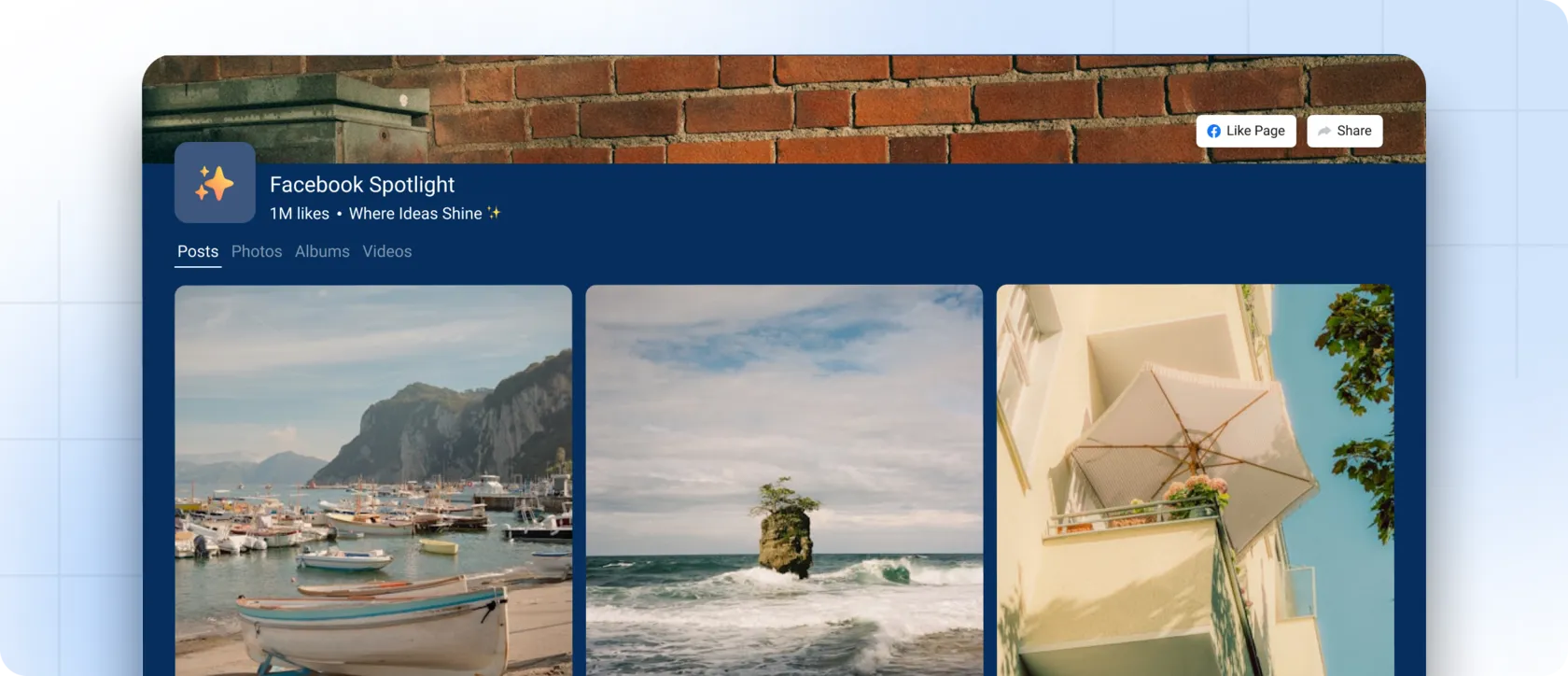
Facebook remains one of the most influential platforms for community engagement and brand storytelling. Now imagine bringing all that activity — posts, photos, videos, reactions, conversations — directly onto your website.

Embedding a Facebook feed turns a static page into a living social hub. It increases trust, keeps your content fresh, and connects visitors to your active online community. Below is a compact, expert-driven guide on how to integrate and style a Facebook feed so it looks clean, consistent, and effortless on your website.


💡 Why Embedding a Facebook Feed Matters

When your Facebook updates appear automatically on your site, your brand gains an immediate “social presence.” The benefits are significant:

1. Your website always feels fresh

Every time you post on Facebook, your site updates as well — no manual work required.

2. Higher trust and transparency

Visitors see real comments, reactions, and activity — authentic proof of community.

3. Stronger engagement

A live feed encourages people to follow your page, join your community, or explore more content.

4. Unified brand experience

Your social channels and website work together, reinforcing your message visually and emotionally.

🧩 How to Embed a Facebook Feed on Your Website

Facebook provides an official Page Plugin that generates an embeddable iframe code for your page.
Here’s the simplified version:
  1. Open the Facebook Page Plugin tool.
  2. Enter the URL of your Facebook Page.
  3. Adjust the width, height, and display options (timeline, events, messages).
  4. Click Get Code.
  5. Choose the iframe version.
  6. Paste the iframe code into your site’s HTML editor where you want the feed to appear.
Once the page is saved, your live Facebook feed will appear instantly on your website.

💅 How to Customize Your Facebook Feed

Facebook’s native plugin offers minimal styling. If you want your feed to look polished and fully aligned with your branding, you'll need a more customizable widget.
Advanced customization options available through modern tools:
  • Grid, column, or carousel layouts
  • Brand-friendly color schemes
  • Number of posts displayed
  • Spacing and padding options
  • Different media display modes
  • Subtle hover or interaction effects
This helps the feed feel like it belongs to your website — not just a pasted block.

👨‍💻 The Best Way to Display a Facebook Feed — Use a Smart Widget

If you need a clean, responsive, brand-ready feed (instead of a basic plugin), a modern social media widget is the better choice.
Mirror App is one of the most flexible solutions for embedding Facebook content on any website using a single iframe code.

With Mirror App, you can:

  • Connect popular platforms (Facebook, Instagram, TikTok, and more)
  • Display a live Facebook feed with automatic updates
  • Customize layouts, spacing, and styling
  • Combine multiple platforms in a unified social wall
  • Embed via one lightweight iframe — no plugins, no conflicts
  • Integrate on WordPress, Webflow, Shopify, Wix, Tilda, and any HTML website
This is especially valuable for brands, agencies, creators, restaurants, online shops, and any business that relies on active social presence.

🚀 Why Mirror App Is the Best Facebook Feed Widget for 2025

Traditional plugins often:
  • Slow down the site
  • Break after theme or API changes
  • Require complicated setup
  • Cause layout conflicts
Mirror App removes these issues entirely:
  • Everything works through a fast, lightweight iframe embed
  • Fully responsive on any device
  • Updates automatically
  • Modern and clean design
  • Reliable across all CMS platforms
It’s the ideal balance of simplicity and deep customization — without technical headaches.
Embedding your Facebook feed is one of the most effective ways to increase trust, engagement, and visual appeal on your website. Real posts and activity show that your brand is active, transparent, and connected to its community.
Mirror App makes the process effortless:
  1. Create your feed widget
  2. Adjust the design
  3. Copy the iframe code
  4. Paste it into your website
Done — your feed updates itself and becomes an organic part of your brand experience.
👉 Try Mirror App Today and Transform Your Website Into a Dynamic Social Showcase Powered by Real Facebook Content
Try It For Free
Share

FAQ

Can I embed a Facebook feed on my website without App ID, tokens, or complicated setup?

Yes. With Mirror App, everything is handled inside the platform — you don’t need an App ID, tokens, API keys, or any technical configuration in your CMS. Just create your widget, copy the iframe code, and paste it into your website. The feed works instantly with no additional setup.

Will the feed update automatically when I publish new posts on Facebook?

Yes. Mirror App syncs your content automatically: new posts, photos, and videos appear in the widget without any manual refresh. You publish on Facebook — your website feed updates immediately.

Which platforms support the Mirror App Facebook Feed?

All major platforms, including: WordPress, Shopify, Webflow, Wix, Tilda, Squarespace, Bubble, Notion, and any HTML-based website. Because it uses a clean iframe embed, there are no conflicts with themes, plugins, or visual editors. Adding it is a single step — just paste the code into any HTML block.

Our Clients Love Us

Love how no-code this feels. You literally connect, design, copy, and paste. No chasing API tokens or dealing with Facebook updates.

For what you pay, this widget is a steal. Setup was just a few clicks from my dashboard; it looks clean on my site and matches my design. I also appreciate that they keep releasing new features — makes me feel like it's getting better all the time.
Other Articles

Bring your social content to your website.

Create beautiful social media and reviews widgets for your website.

Create your first widget