Next article

💪 Transform Your Website with a Live Facebook Feed Using Mirror App

Transform Your Website with a Live Facebook Feed Using Mirror App
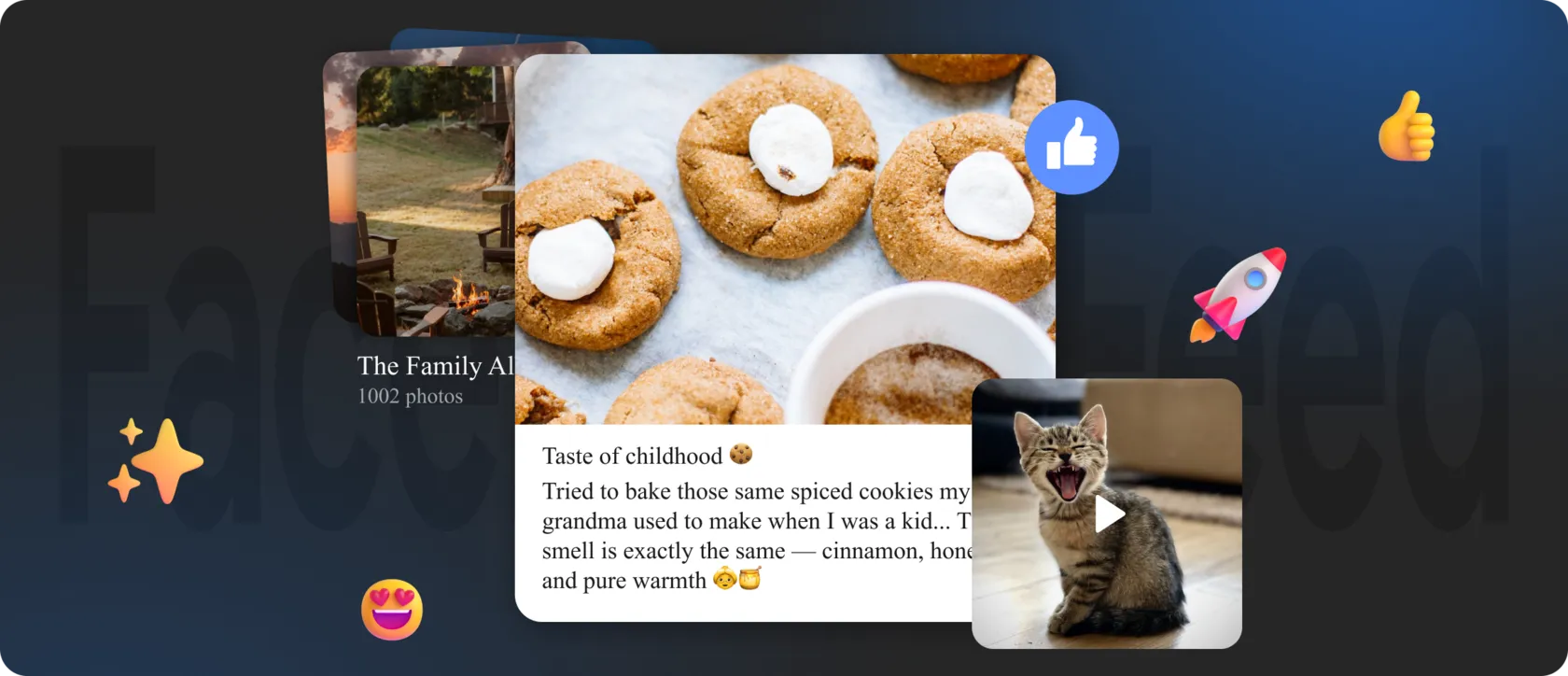
Most websites today remain visually static, even though audiences expect real-time updates and social proof. A modern brand isn’t defined only by polished landing pages — it’s shaped by live conversations, user reactions, and the day-to-day activity shown on social networks.

Integrating a Facebook feed directly into your website bridges that gap. With Mirror App, you can stream your latest posts, visuals, and community engagement into a single, responsive, real-time widget — without coding, without plugin issues, and without ongoing maintenance.


🙈 Why Traditional Facebook Plugins Fall Short

Most native Facebook plugins or outdated widgets promise a simple setup but rarely meet the needs of a modern business. Their limitations become obvious as soon as your site grows or your audience moves across devices:
  • Restrictive layouts — often locked to basic, generic designs with no room for brand identity.
  • Inconsistent syncing — new posts may not appear until the embed is refreshed manually.
  • Limited cross-platform support — what works in WordPress may break in Webflow, Shopify, or custom HTML.
  • Poor mobile rendering — feeds frequently collapse or stretch awkwardly on phones and tablets.
  • No multi-network support — combining Facebook with Instagram or TikTok is typically impossible.
The result is a feed that feels disconnected from the rest of the website — visually outdated, technically fragile, and rarely optimized for conversions.

Mirror App takes a different approach: a lightweight, platform-agnostic widget that places design flexibility, performance, and reliability at the center.


🧩 Mirror App Solves Real Integration Challenges

Mirror App is built for businesses that understand the strategic value of social presence. Instead of relying on plugins tied to one CMS, it uses a universal approach: a single iframe embed that works everywhere.
What makes it stand out:
  • Real-time updates — every new post on your Facebook Page appears automatically.
  • Responsive by design — the widget intelligently adapts to mobile, tablet, and desktop layouts.
  • Customizable layouts — choose from modern formats like Grid, Carousel, Masonry-style visuals, Vertical Feed, or compact sidebar views.
  • Brand-aligned styling — adjust spacing, colors, borders, typography, and hover effects.
  • Cross-platform Social Mix — combine Facebook + Instagram + TikTok into a single social wall when needed.
  • One-step installation — copy the iframe from the Publish window and place it anywhere on your site.
This isn’t just an embed. It’s a continuous social layer that evolves with your brand.

🙌 Who Gets the Most Value from a Facebook Feed with Mirror App

Almost any digital property benefits from a real-time Facebook feed, but certain categories see particularly strong results:

E-commerce brands

Showcase customer stories, new product drops, UGC, and campaigns that build trust at the point of purchase.

Creative professionals and bloggers

Turn social activity into a visual diary that complements articles, portfolio pieces, and educational content.

Local businesses, cafés, fitness studios, salons

Display daily updates, community photos, and social engagement that influence visitors’ decisions.

Agencies and multi-brand managers

Maintain feeds across multiple clients without repetitive setup or plugin conflicts.
Because Mirror App requires no plugins, it operates reliably across all major CMS platforms — WordPress, Webflow, Shopify, Wix, Squarespace, Joomla, Weebly, Blogger, Elementor, WooCommerce, and any HTML site.

🌟 Getting Started Is Effortless

You don’t need technical experience. The entire workflow is designed around simplicity:
  1. Open Mirror App and connect your Facebook Page.
  2. Select your layout: Grid, Carousel, Masonry-inspired, Vertical Feed, or a compact module.
  3. Customize the design visually — spacing, colors, borders, fonts, hover states.
  4. Copy the iframe from the Publish window.
  5. Paste it anywhere on your site — header, footer, homepage, product pages, or a dedicated social hub.
Your feed goes live instantly and continues updating automatically as you publish new Facebook posts
Share

FAQ

Can I automatically filter posts by date — for example, show only fresh posts from the last month?

Mirror App updates your Facebook feed as new posts appear. You can control how many posts are displayed and use the sorting options available for your source. A strict rolling rule such as “only posts from the last 30 days” may not be available for every Facebook source. Showing the newest few posts is not the same as filtering by date: older posts can remain visible if the page has been inactive.

Can I embed a Facebook feed into non-standard areas of my website — such as the header, sidebar, or between product blocks?

Yes. The Mirror App embed code works in any part of your website: the header, sidebar, footer, between product listings, inside a pop-up, or within a dedicated social hub. The widget automatically adapts to the size of the container — even if it’s unconventional or dynamically changing.

Can I add a custom CTA button to each Facebook post inside the widget?

Yes. Mirror App lets you enable a custom call-to-action (CTA) button that appears next to every post — or only next to selected ones. Your CTA can lead to: a product page, a booking or service page, a promotional landing page, a contact form, any custom link you choose. This turns your Facebook feed into more than a visual block — it becomes a conversion-driven element that directly boosts engagement and sales.

Our Clients Love Us

Plenty of visual customization — colors, spacing, fonts. I matched the widget perfectly to my portfolio site without writing CSS. It took me a few minutes to figure out where the shortcode goes in Elementor, but the help guide made it clear. Worth it for small businesses or freelancers who want control over design without extra plugins.
Absolutely awesome widgets! Setup took just a couple of minutes, everything works smoothly and reliably. Social media content displays perfectly. I really love that everything can be customized — I was able to make it look exactly the way I wanted. Definitely recommend!
Other Articles

Bring your social content to your website.

Create beautiful social media and reviews widgets for your website.

Create your first widget