A Facebook feed on a website is no longer just a visual add-on — it has become part of a brand’s communication infrastructure. Market practice confirms this: by 2025, nearly half of content-driven commercial websites use social widgets, and among small and mid-sized businesses this number exceeds 60%. The reason is simple — companies want to reduce the gap between social platforms and their own websites without losing control over the user experience.
If we look at who embeds Facebook feeds most often, several clear groups stand out:
That’s why the key question today is no longer “Should we embed a Facebook feed?” but how controllable it is. In 2025, a Facebook feed is increasingly treated not as a social widget, but as an interface element that must:
If we look at who embeds Facebook feeds most often, several clear groups stand out:
- Brands with an active content strategy use feeds as an additional communication layer and a source of social proof;
- Local businesses (cafés, studios, service providers, fitness clubs) rely on feeds for announcements, events, and promotions;
- Nonprofits and community projects use them to showcase activity and community engagement;
- Blogs and media projects embed Facebook content to expand reach without overloading the main website feed.
That’s why the key question today is no longer “Should we embed a Facebook feed?” but how controllable it is. In 2025, a Facebook feed is increasingly treated not as a social widget, but as an interface element that must:
- follow the website’s design system;
- work flawlessly on mobile devices;
- show exactly the amount of content appropriate for each page context.
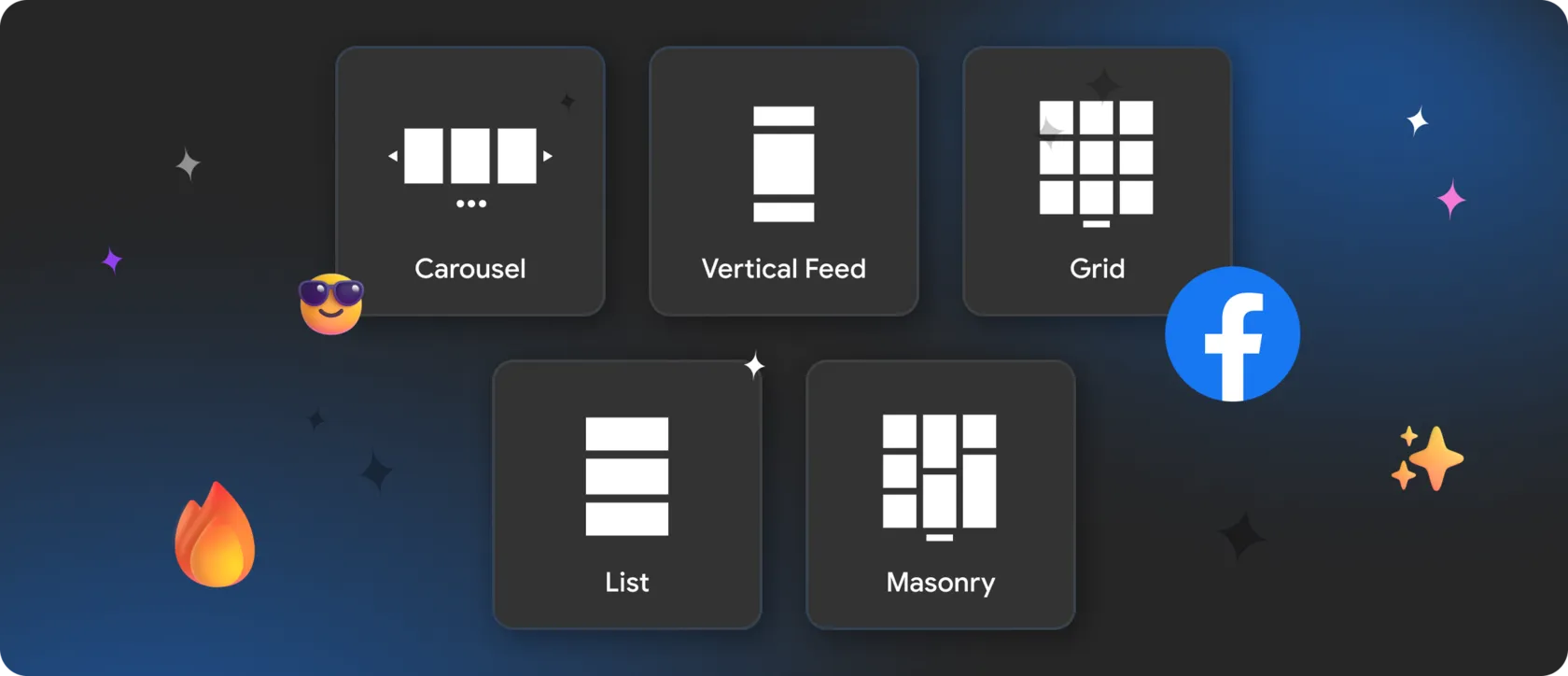
Below is a breakdown of the most effective Facebook feed layout styles for modern websites — and how to implement them cleanly and predictably using Mirror App.
✨ Grid Layout — Structured, Familiar, and Brand-Safe
The grid layout is the most common Facebook feed format. It brings order to diverse content and allows users to quickly scan multiple posts.
This format works especially well for:
With Mirror App, grid layouts can be precisely configured:
This format works especially well for:
- business websites with regular news and updates;
- brands publishing visual campaigns and announcements;
- event pages where multiple posts need to be visible at once.
With Mirror App, grid layouts can be precisely configured:
- choose the number of columns to match your website grid;
- adjust spacing between posts;
- limit the number of visible items;
- embed the feed inside a container or stretch it full-width.
🧩 Vertical Feed and Timeline Layouts — Chronology and Context
In some scenarios, Facebook content works best not as a gallery but as a sequential stream. Vertical and timeline layouts emphasize order and narrative.
They are particularly effective for:
Mirror App allows you to:
They are particularly effective for:
- blogs and media platforms with frequent updates;
- communities and organizations;
- websites where events, announcements, and activity matter.
Mirror App allows you to:
- control post order (by date or popularity);
- limit scroll depth;
- adapt typography to match your website;
- optimize behavior for mobile devices.
🔍 Carousel Layout — Motion Without Overload
When space is limited or subtle interaction is needed, carousel layouts are often the best choice.
They work well for:
With Mirror App, you can:
They work well for:
- landing pages and product pages;
- promotional and seasonal campaigns;
- highlighting selected posts.
With Mirror App, you can:
- define how many posts are visible at once;
- control slide speed and interaction logic;
- ensure smooth performance on mobile devices.
🎨 Mixed Media Layout — When Content Types Vary
Facebook feeds rarely contain just one type of content. Posts, photos, albums, and videos usually appear together — and separating them into different blocks often hurts the experience.
A mixed media layout allows all content types to live in a single, cohesive feed.
It’s especially useful for:
A mixed media layout allows all content types to live in a single, cohesive feed.
It’s especially useful for:
- brands with active media strategies;
- storytelling-focused websites;
- pages that balance visual appeal and engagement.
- toggle specific content types on or off;
- manage post card styles;
- use popup views to keep focus on the website.
👤 Interaction and User Behavior Control
A modern Facebook feed is not a static list — it’s an interactive interface element.
Best practices include:
Best practices include:
- Popup viewing instead of forced redirects;
- Optional display of likes and comments;
- Configurable click behavior;
- Filtering content by publish date.
🌟 Why Mirror App Is a Practical Choice for Facebook Feeds in 2025
Manual Facebook embeds usually come with:
That’s what separates a basic embed from a true interface integration in 2025.
- limited customization;
- heavy scripts;
- responsiveness issues.
- multiple layout styles without code;
- full design control;
- responsive behavior by default;
- automatic content updates;
- compatibility with WordPress, Shopify, Webflow, Tilda, and HTML websites.
That’s what separates a basic embed from a true interface integration in 2025.


FAQ
Our Clients Love Us

Plenty of visual customization — colors, spacing, fonts. I matched the widget perfectly to my portfolio site without writing CSS.

For what you pay, this widget is a steal. Setup was just a few clicks from my dashboard; it looks clean on my site and matches my design. I also appreciate that they keep releasing new features — makes me feel like it's getting better all the time.